What is a URL?
URL is an acronym for Uniform Resource Locator and is a reference (an address) to a resource on the Internet.
For the URL http://example.com , the protocol identifier is http or https.
For the URL http://example.com , the resource name is example.com
Real Talk about HTTPS
What is SSL or SSL/TLS?
SSL (Secure Sockets Layer) and its successor, TLS (Transport Layer Security), are protocols for establishing authenticated and encrypted links between networked computers.
What is a Development Tools?
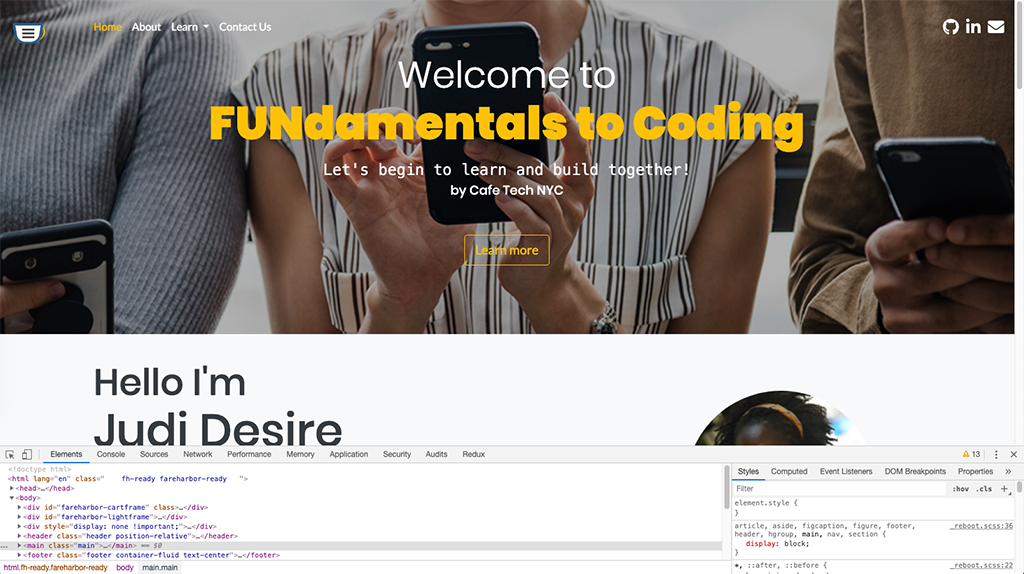
Development tools are found in modern web browsers to inspect currently-loaded HTML, CSS and JavaScript to showing which assets the page has requested and how long they took to load.
The screenshot displays the Inspect Chrome DevTools built directly into the Google Chrome browser.
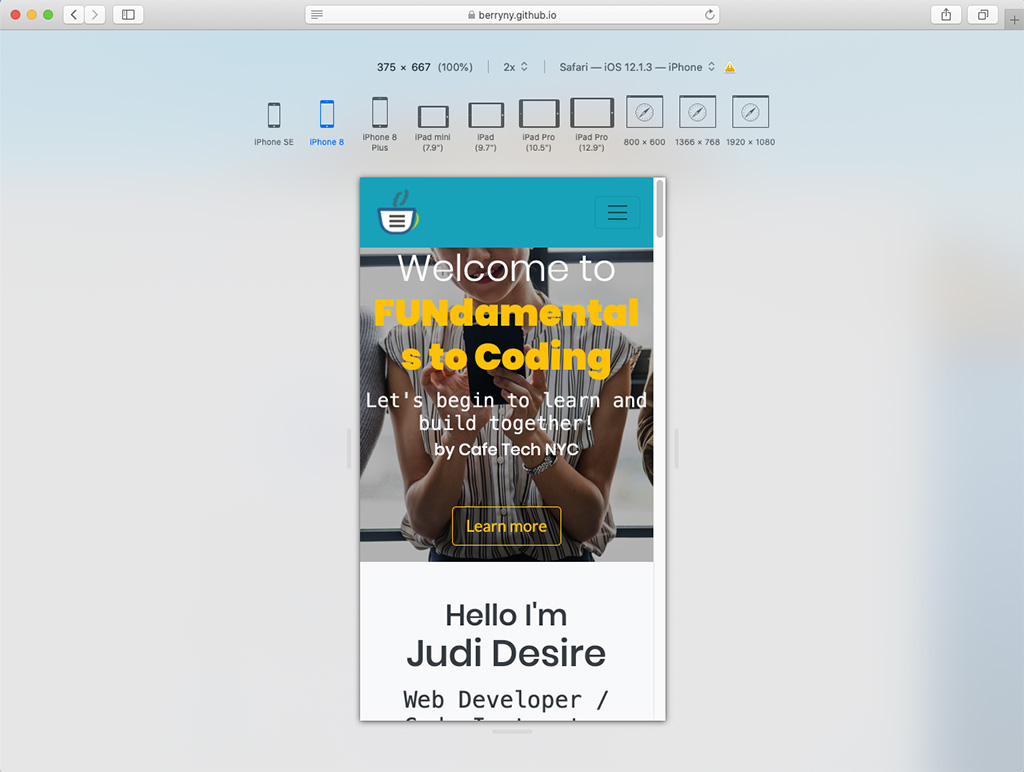
Each browser provides a development tool to assist with troubleshooting webpage issues, performance, responsive design layout and more...
List of desktop browsers and accessing the development tool:
- Safari (OS)
-
To access the Inspect Element
- Click Safari > Preferences > Advanced > Click the checkbox Show Develop menu in menu bar > Exit Preferences
- Click Develop from menubar > Select Show Web Inspector
- Or Right-click on the web page, then select Inspect Element.
- For Responsive Design View
- Click Develop > Select Enter Responsive Design Mode
- Keyboard Command:
CTRL + Command + R - Click on the various device modes to assure design layout.
- Firefox browser
Firefox Developer - To access the Inspector go to Tools > Web Developer > Inspector
- Microsoft Edge
-
To access the Inspect Element
- Press F12, then select DOM Explorer
- Right-click on the web page, then select Inspect Element.

Quality Assurance (QA)
Learn how to fix webpage issues on different types of screen sizes, browsers, operating systems, and other platforms.
We will examine the design precess and testing for the best website experience to the particular user base.
Additional Cources
HTML
Learn how to code HTML, Hypertext Markup Language using online tools and resources to build and deploy a website.
The 2-hour session is designed to provide a foundational understanding of HTML to help build and deploy a website.

HTML & CSS
HTML Hypertext Markup Language provides basic structure to the site and CSS Cascading Style Sheets, is used to style the appearance of content-using, for example, fonts or colors.
Learn how to add style and pizzazz into a website or content management template.
Bootstrap
Bootstrap is an open source toolkit for developing with HTML, CSS, and JS.
Learn how to integrate the framework into a website or content management.